

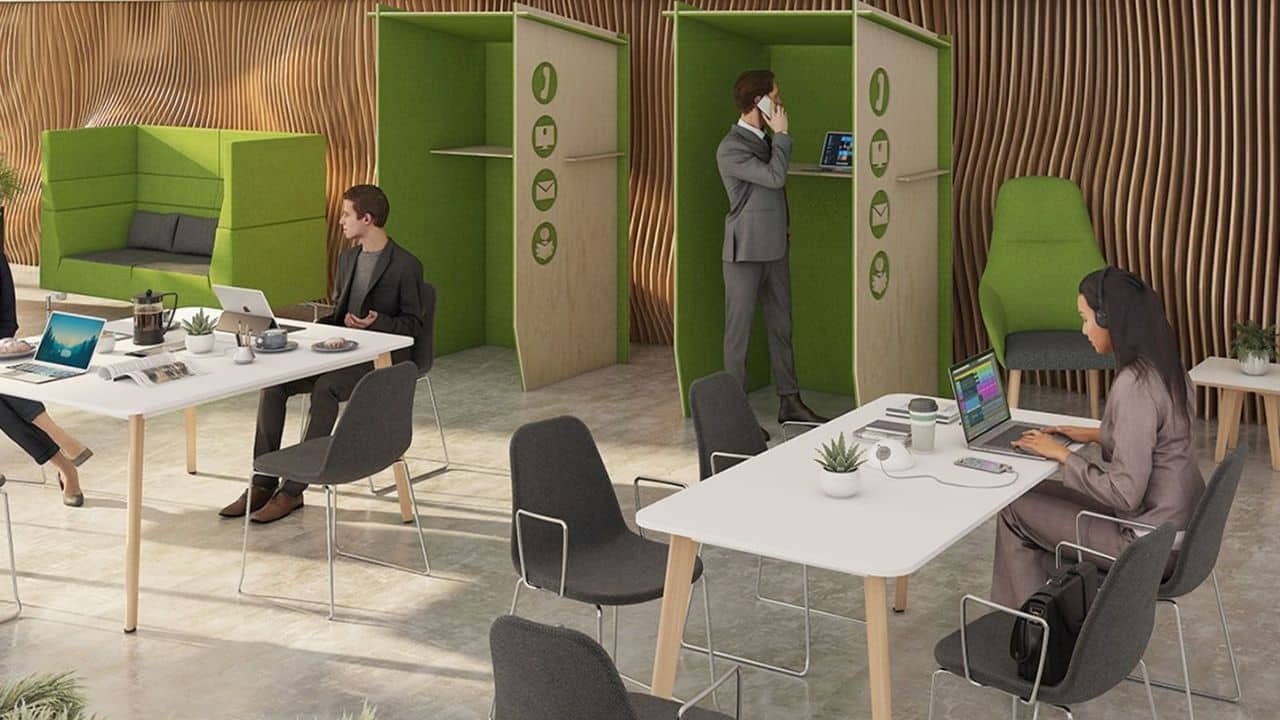
Most offices don’t struggle because of the people in them. They struggle because the space around those people was put together in a hurry. A few desks go in, somebody orders whatever seating is cheapest, and the room is left alone until the complaints start. By then you’re usually dealing with sore backs, restless afternoons and a team that’s quietly counting down to home time.
Getting the basics right early saves a lot of that. The biggest decision is seating, and it’s worth treating it as an investment rather than a line on a spreadsheet. A set of well-chosen ergonomic office chairs gives people proper lumbar support, adjustable height and armrests that actually move, so they can sit comfortably for long stretches without slumping or perching on the edge of the seat. It matters even more where several people share the same chair across long or rotating shifts, because a seat that only suits one body shape quickly becomes a problem for everyone else.
Start With How People Really Work
Before you buy anything, spend a week watching how the space gets used. Who’s at their desk all day, and who’s in and out of meetings? Do people work on laptops, dual screens or paper? Is the room busy at nine and empty by three, or does it hum along until the evening?
Those answers shape every decision that follows. A team of analysts who spend eight hours a day at a screen needs very different furniture from a sales floor where people are up and down constantly. Skipping this step is how businesses end up with beautiful desks that nobody can work at comfortably.
Why Seating Deserves the Biggest Slice of the Budget
You can get away with a modest desk. You can’t really get away with a poor chair. Sitting well is a physical job, and the right seat does a lot of quiet work in the background, holding the spine in a sensible position and spreading weight so that no single area takes all the strain.
The features worth paying for
When you’re comparing options, these are the details that tend to make the biggest difference:
- Seat height that adjusts smoothly, so feet rest flat on the floor and knees sit at a comfortable angle.
- Lumbar support that follows the natural curve of the lower back rather than a flat panel.
- Armrests that adjust in height and width, so shoulders stay relaxed.
- Seat depth that can be changed to suit shorter and taller users.
- Breathable upholstery, particularly for rooms that run warm.
Test before you commit
Photos tell you very little about comfort. If you’re buying for a whole team, it pays to try a few ranges of office chairs side by side, ideally with the people who’ll be using them. Ask a few staff to sit in each for a decent stretch rather than a quick two-minute trial, and pay attention to what they say about their lower back and shoulders after an hour.
Think About Desks and Layout Together
A good chair paired with a badly set up desk still leaves people uncomfortable. Desk height should let elbows rest at roughly a right angle when typing, and screens should sit about an arm’s length away, with the top edge close to eye level. If the budget stretches to it, height-adjustable desks give people the option of standing for part of the day, which many find helps with afternoon energy.
Layout matters too. Leave enough room behind each chair for people to move without bumping into someone else, and keep walkways clear. Cramming in an extra desk might look efficient on paper, but it usually costs more in distraction and discomfort than it gains in headcount.
If desks are shared between shifts or days, make sure the controls on each seat are quick and obvious. People won’t adjust a chair they can’t figure out, and a seat that’s set up for the wrong person all day defeats the point of buying a good one.
Don’t Forget Storage and Clutter
Clutter has a way of creeping across a workspace, and it’s surprisingly draining. Piles of paperwork, loose bags and coats draped over chair backs all add visual noise. Give people somewhere sensible to put their belongings, whether that’s under-desk drawers, shared cabinets or a bank of personal storage near the entrance, and the room feels calmer almost immediately.
Light, Air and the Small Stuff
Lighting is the final piece. Natural light is ideal, but position desks so that windows sit to the side of screens rather than directly behind or in front of them. Add task lighting for the darker months, and make sure the room can be ventilated easily. None of this is glamorous, but it’s the sort of detail people only notice when it’s missing.
Noise is the other thing that tends to get overlooked. Open-plan rooms can be tiring when every call and conversation carries, so soft furnishings, acoustic panels or even a quiet corner for calls can make a noticeable difference to concentration.
Review It After a Month
However carefully you plan, the first version of any workspace is a draft. Check in with the team after a few weeks. Ask what’s working, what’s irritating and what they’d change. Small adjustments, such as moving a desk, swapping one chair or adding a footrest, are far cheaper than replacing a whole set of furniture later.
Furnishing a busy workspace isn’t about spending the most. It’s about spending on the things people use for hours every day, then fine-tuning once you’ve seen how the room really works.
